
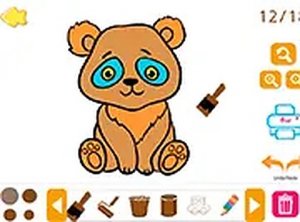
Kids Paint and Draw
Simple and engaging coloring game with plenty of tools. Perfect for young artists.
Paint and Draw is a delightful online coloring game designed for children. It offers a safe, family-friendly environment where young artists can explore colors and designs. The game focuses on creativity and relaxation, making it a perfect activity for quiet time or playdates. With a variety of creative tools, kids can bring images to life using their imagination. The game runs directly in the browser, requiring no downloads, and provides an accessible way for children to engage in artistic expression.
To start playing, choose an image from the main menu. Use your mouse to select a tool from the side panel. Click and drag on the image to apply colors with tools like pencil, brush, or crayon. For larger areas, use the paint roller or paint can to fill sections quickly. The eraser helps fix any mistakes, while sparkle and stamp tools add fun effects. The hand tool allows you to move parts of the image for precise editing. You can play in full screen mode for a more immersive experience. Enjoy creating your masterpiece at your own pace.
This game includes a variety of images to color and multiple creative tools such as pencil, crayon, brush, paint, paint roller, paint can, sparkle, stamp, eraser, and hand tool. It is free to play, family-friendly, and requires no downloads. The game works in any modern browser and offers a full screen mode for an enhanced experience. The simple interface makes it easy for young children to use independently.
Encourage children to experiment with different tools to discover their favorite effects. Start with simpler images to build confidence, then move to more detailed ones. Use the eraser freely to correct mistakes—it's a great way to learn. Try combining tools like sparkle and stamp for unique designs. Take breaks if needed, and remember that the goal is fun and creativity, not perfection. Sharing finished artwork can boost a child's sense of accomplishment.
✅ This game supports: - Desktop browsers (Chrome, Edge, Safari) - Mobile browsers (Chrome on Android, Safari on iOS) ❌ Does NOT support: - Internet Explorer - Very old browser versions 👉 Try refreshing or updating your browser
Simple and engaging coloring game with plenty of tools. Perfect for young artists.

Relaxing and easy to use. Great for creative breaks and decorating practice.
Bright and cheerful aquapark adventure. Simple controls and multiplayer fun make it a great choice for families.
Colorful Christmas game with three fun modes. Simple controls and no downloads needed. Great for families.
A creative and easy music mixer with a fun Halloween theme. Great for kids and families.
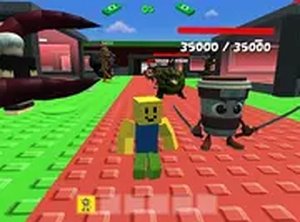
Fast combat and smart upgrades. Easy to start, hard to put down.
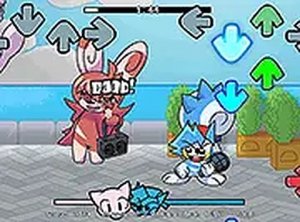
Cute monster theme and catchy songs. Simple controls and fun rhythm challenges. Great for quick music game sessions.
A charming arcade game with quick rounds and a playful ninja rabbit theme. Easy to learn.
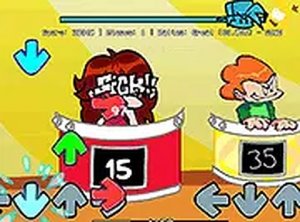
Catchy song and simple controls make this a fun rhythm challenge. Great for quick breaks.
A short but touching FNF mod with catchy music and smooth controls. Great for a quick rhythm fix.