
Description
Game Introduction
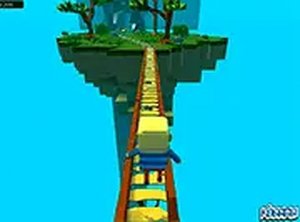
Kogama Adventure World Online is a free-to-play browser-based adventure game set in a colorful, blocky world. Players explore a vibrant environment filled with icy bridges and tricky obstacles. The core objective is to run, jump, and balance across treacherous paths to reach new areas. The game encourages cooperative exploration, allowing players to team up with friends to discover every corner of the world together. Its simple controls and lighthearted design make it accessible to players of all ages who enjoy skill-based challenges and exploration. The game runs instantly in a web browser with no downloads required, and a full-screen mode can be activated for a more immersive experience. This game is designed to be family-friendly and offers a safe online environment for players to enjoy.
How to Play
Players typically control their character using keyboard inputs such as arrow keys or WASD to move around the world. The main challenge involves running and jumping across slippery ice bridges, where careful timing and balance are essential to avoid falling. Working with friends can help overcome obstacles and reveal hidden paths that lead to new areas. The game runs instantly in a web browser with no downloads required, and a full-screen mode can be activated for a more immersive experience.
Game Features
Features include free-to-play access with no hidden costs, a multiplayer mode that allows teaming up with friends for cooperative exploration, and full-screen mode for an enhanced view. The game presents ice bridge obstacles that test the player's balance and timing, and exploration is encouraged through secret areas and paths. The colorful graphics and simple controls are designed to be appealing and easy to use for all age groups.
Tips for Success
To succeed, practice your timing and balance when crossing slippery surfaces. Move cautiously on ice bridges to avoid slipping off. Work with friends to share strategies and discover hidden areas. Take your time exploring each area thoroughly, as secret paths may lead to new zones. Use full-screen mode to improve visibility and focus on the obstacles ahead. Regular practice will help you master the controls and navigate the world more efficiently.







Player Comments
Sign in to comment
You must be logged in before posting a review or rating.
No account? Create one
No comments yet. Be the first to comment!