
Description
Game Introduction
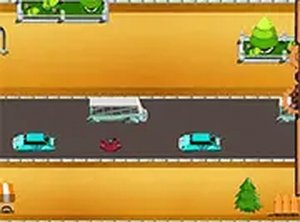
Robot Crossing Arcade Game is an online arcade game where players guide a cheerful robot across lanes of moving traffic. The core objective is to reach the other side without being hit by cars. This game offers a simple, lighthearted challenge that is easy to pick up but hard to put down. With bright, friendly graphics and straightforward rules, it provides a welcoming experience for players of all ages. It runs smoothly in any modern browser with no installation required, making it ideal for quick play sessions or longer gaming breaks.
How to Play
Players control a robot that moves one step at a time across lanes of traffic. The goal is to cross all lanes without getting hit. Each lane contains vehicles moving at different speeds, so careful observation and precise timing are essential. Players must wait for a safe gap between cars before moving forward. Controls are simple and responsive, allowing focus on timing. Each successful crossing increases the score, and traffic speeds up as progress is made. One wrong move sends the robot back to the start, so patience and planning are key.
Game Features
Robot Crossing Arcade Game includes simple controls that work with keyboard arrows or touchscreen swipes. It is free to play and requires no downloads or installations. The game runs on both mobile devices and desktop computers, with a full screen mode available for a more immersive experience. Cheerful graphics and sound effects create a friendly atmosphere suitable for all ages. The increasing speed of traffic adds gradual difficulty without becoming frustrating. Each game session is short, making it perfect for quick breaks or longer play. A high score feature encourages replayability as players try to beat their own best performance.
Tips for Success
To succeed in Robot Crossing Arcade Game, patience is essential. Watch each lane carefully and wait for a clear gap before moving. Plan your path ahead, as rushing often leads to mistakes. Practice regularly to improve your timing and reaction speed. As traffic speeds up, staying calm and focused helps maintain accuracy. Learning the patterns of vehicle movement can give you an edge. Remember that one wrong move sends you back to the start, so think before each step. Enjoy the process and aim to beat your own high score with each attempt.






Player Comments
Sign in to comment
You must be logged in before posting a review or rating.
No account? Create one
No comments yet. Be the first to comment!