

Get Back Up Timing Arcade
Simple and addictive timing game. Clean design works well on mobile and desktop.
Wrecking Ball Smash Arcade Game puts you in control of a wrecking ball with one goal: destroy blocks and reach 100,000 points. Each block you hit adds to your score. As you earn points, you can upgrade your wrecking ball to smash through blocks more efficiently. Each upgrade increases the cost of all upgrades by 2 percent, adding a strategic element to your decisions. You can also add an extra ball, which increases costs by 20 percent but lets you destroy more blocks at once. The game is designed for desktop play with smooth mouse controls and full-screen support. It is family-friendly and suitable for all ages.
To play Wrecking Ball Smash Game, use your mouse to control the ball. Press and hold the left mouse button to make the ball bounce off your cursor, directing it toward the blocks. Your goal is to destroy as many blocks as possible to increase your score. As you earn points, open the game menu to upgrade your wrecking ball. Each upgrade enhances your ball's power but raises the cost of all upgrades by 2 percent. You can also add an additional ball, which increases costs by 20 percent but allows you to smash more blocks at once. The game is best played on a computer with a keyboard and mouse, as it is not designed for mobile devices. Use full-screen mode for a more immersive experience. Keep smashing blocks and upgrading your ball to reach 100,000 points.
Family-friendly gameplay suitable for all ages. Simple mouse controls with press-and-hold mechanics. Upgrade system that increases power and adds strategic cost management. Full-screen support for an immersive experience. Free to play directly in your browser with no downloads required.
Wrecking Ball Smash Game offers a straightforward and rewarding experience. The upgrade system gives you clear goals to work toward, and the simple controls make it easy to pick up and play. It is a great choice for short gaming sessions.
✅ This game supports: - Desktop browsers (Chrome, Edge, Safari) - Mobile browsers (Chrome on Android, Safari on iOS) ❌ Does NOT support: - Internet Explorer - Very old browser versions 👉 Try refreshing or updating your browser
Simple and addictive timing game. Clean design works well on mobile and desktop.

Simple, colorful, and fun. Quick matches with friends or strangers. Great for all ages.

Simple controls and bright visuals make Sky Roller a pleasant arcade game for quick breaks.

Easy controls and fun car soccer action. Great for quick matches with friends or AI bots.

Clever mix of calm fishing and monster survival. Easy to play and surprisingly engaging.
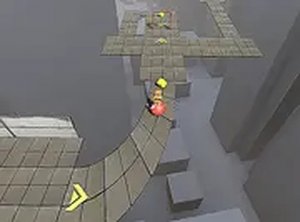
Simple and relaxing ball rolling game with clear goals. Great for short breaks.

Simple matching fun with a festive Easter theme. Great for quick play sessions.

Clean visuals and responsive controls. A solid arcade racer for quick breaks.

Clean design and smooth gameplay. Great for short breaks. A timeless puzzle experience.
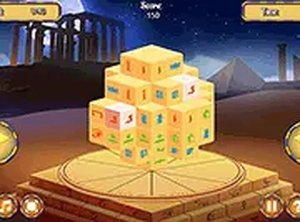
A relaxing puzzle game with a clever triple-matching twist. The rotating block adds a new layer of fun.